
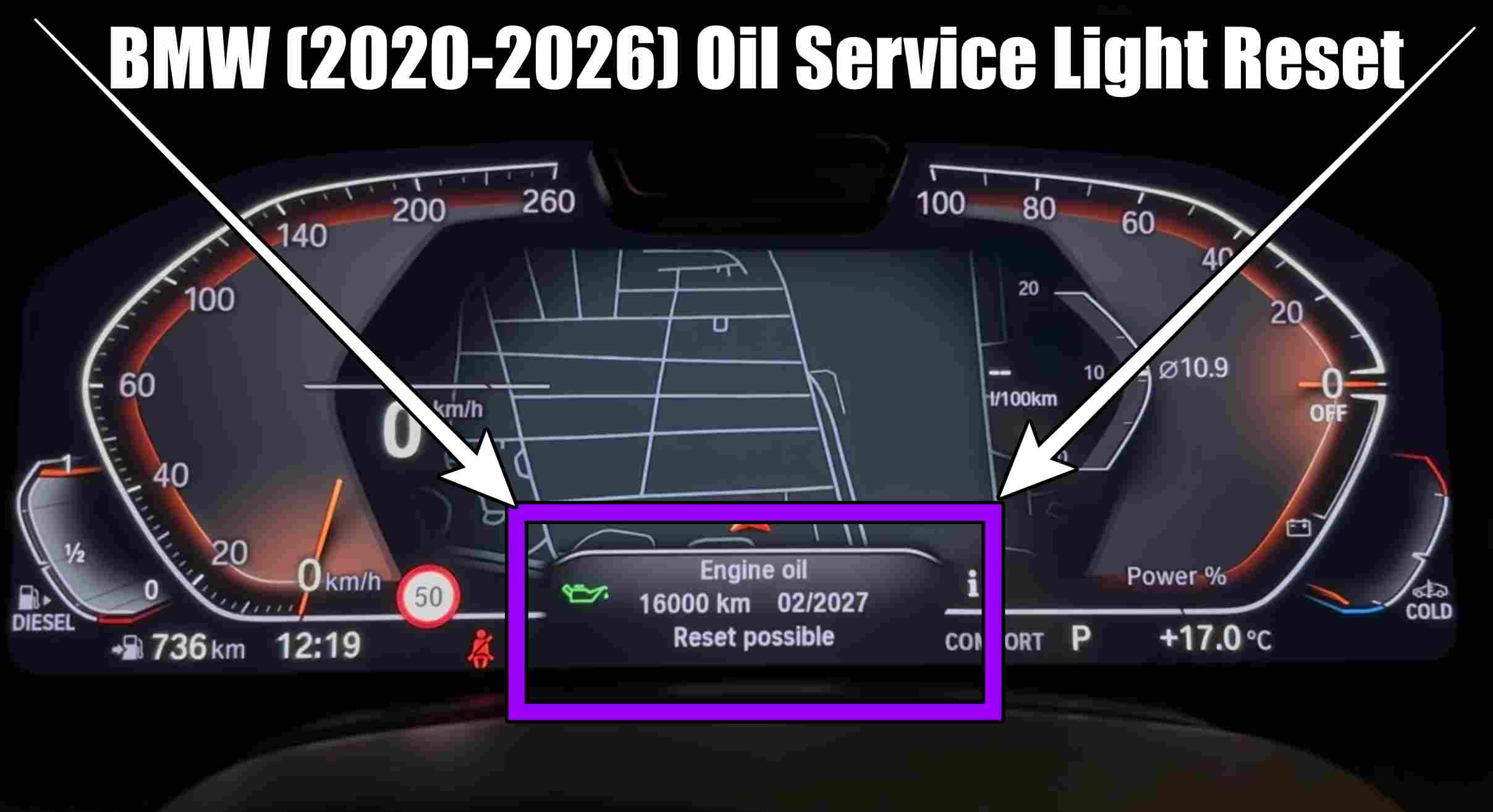
BMW 1, 2, 3, 4, 5, 6, 7, 8-Series, X1 (U11, U12), X3 (G01), X4 (G02), X5 (G05), X6 (G06), X7 (G07) (2020–2026) – Oil Service Light Reset
How to reset the Oil Service Light for the BMW 1-Series (F40), 2-Series (G42), 3-Series (G20, G21), 4-Series (G22), 5-Series (G30, G31), 6-Series (G32), 7-Series (G11, G12), 8-Series (G14, G15, G16), X1 (U11, U12), X3 (G01), X4 (G02), X5 (G05), X6 (G06), and X7 (G07) (2020–2026) in 5 simple steps.
HERE you can find BMW Store Genuine items: https://amzn.to/46fWZkM

HERE you can find BMW Accessories at THE BEST PRICE: https://s.click.aliexpress.com/e/_c44e42HJ
Performing an oil change and regular maintenance is essential for maintaining the performance and reliability of your BMW. Once the maintenance work is complete, you must reset the service interval in the onboard computer so that the system can accurately calculate the timing for your next service visit. For BMW models produced between 2020 and 2026 that are equipped with modern iDrive systems (BMW X1, X3, X4, X5, X6, X7, and the 1, 2, 3, 4, 5, 6, 7, and 8 Series manufactured during this period), the procedure may vary slightly depending on the specific configuration; however, the basic steps remain similar.
Resetting the Service Interval (Oil Change/Maintenance) vs. Updating the BMW Service History
Before beginning, it is important to understand the distinction between these two operations:
- Resetting the dashboard warning: This clears the „Service Due” message from the instrument cluster and resets the timer for the next scheduled maintenance. This action can typically be performed by the owner by following the steps described below.
- Updating the official service history: To record the maintenance in BMW’s centralized database (the official cloud-based system), a professional diagnostic tool or access to the BMW AOS (Aftersales Online System) portal is required. This is recommended to maintain the vehicle’s resale value and warranty coverage.
General Procedure for Resetting the Oil Service Interval
This method applies to most BMW models within the specified timeframe and is intended for resetting the warnings displayed on the instrument cluster.
1: Press the Start/Stop engine button 3 times (without pressing the brake pedal) to enter „Diagnostic mode.”
2: Press and hold the BC button located on the turn signal lever for 10–15 seconds until you enter the Service menu (symbols for “Brake Fluid,” “Engine Oil,” or “Vehicle Check” will appear on the instrument cluster display).
3. Release the button, then press it repeatedly to navigate through the menu until you reach “Engine oil.”
4. Once you reach “Engine oil,” press and hold the button again until the message “Perform reset?” appears.
5. Release the button, then press and hold it once more to confirm the reset. The message “Reset successful” will appear on the screen.
As you have seen, we did not perform a reset, as it is not currently necessary for this car.
Performing vehicle maintenance yourself, without authorized tools, may affect the car’s digital service history. It is recommended to have maintenance carried out at authorized service centers to ensure the complete traceability of the vehicle’s history.
Don’t forget to Like & SUBSCRIBE our Youtube channel, Tutoriale Auto!
If you have other ideas for new BMW tutorials, write to us in the comments section!
Check these VIDEO TUTORIALS also for BMW:
How to replace / change key fob battery on BMW X2, X3, X4, X5, X6 (2017-2020) IN 5 STEPS!
UPGRADE with only 10 €uros: BMW iDrive Controller (Ceramic Look) Easy Install in 3 minutes!
Follow us on INSTAGRAM: https://www.instagram.com/service_tutorials/?hl=en
SUBSCRIBE our YOUTUBE channel: https://www.youtube.com/channel/UCwObVGIK_LGIYEoJxL6k-bg