
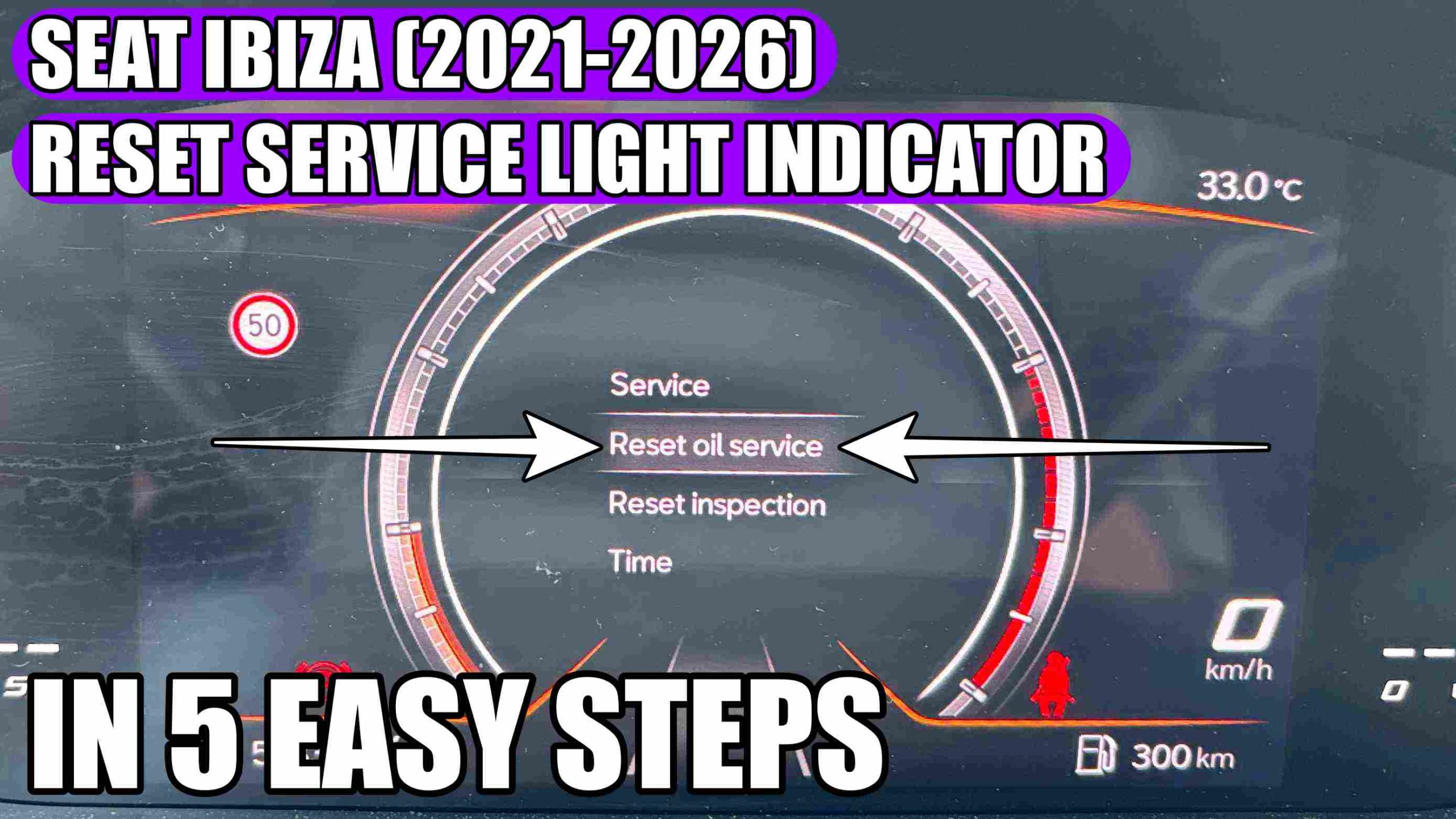
Seat Ibiza (2021-2026) – Reset Oil Change Service (Overhaul) in 5 easy steps
If you have just had your Seat Ibiza (2021-2026) serviced or maintenance done (oil and filter changed) the next important step is to reset the service light indicator. This procedure is useful for the car to correctly display the next service and to stop the maintenance-related warning messages from appearing.
UPGRADE your Seat Ibiza with MUST-HAVE accessories: https://amzn.to/3SGqoU1
HERE you can find SEAT Accessories at THE BEST PRICE: https://s.click.aliexpress.com/e/_oDBzUs2
In general, resetting the service indicator (oil and filter change) on the Seat Ibiza 2026 is easy, directly from the dashboard controls or from the car menu, depending on the model’s equipment. After performing the service, you must manually confirm that the oil has been changed, so that the electronic system starts a new maintenance cycle.
Why is resetting the service interval important:
Resetting the service interval after an oil change is not just a formality. This helps to:
– correctly display the next service;
– avoid erroneous messages on the dashboard;
– maintain a clearer maintenance history;
– timely check of consumables and engine condition.
How to reset the service interval on the Seat Ibiza 2026:
The steps may vary slightly depending on the on-board version, but usually the procedure is as follows:
- First turn on the ignition (do not start the engine). You only use these 2 display symbols buttons and this OK button.
- Use the OK button on the right side of the steering wheel to enter the main menu and stop at “Settings”
- Select “Settings” by pressing the button with the two display symbols, once for the arrows to appear and once again to enter the “Service” menu.
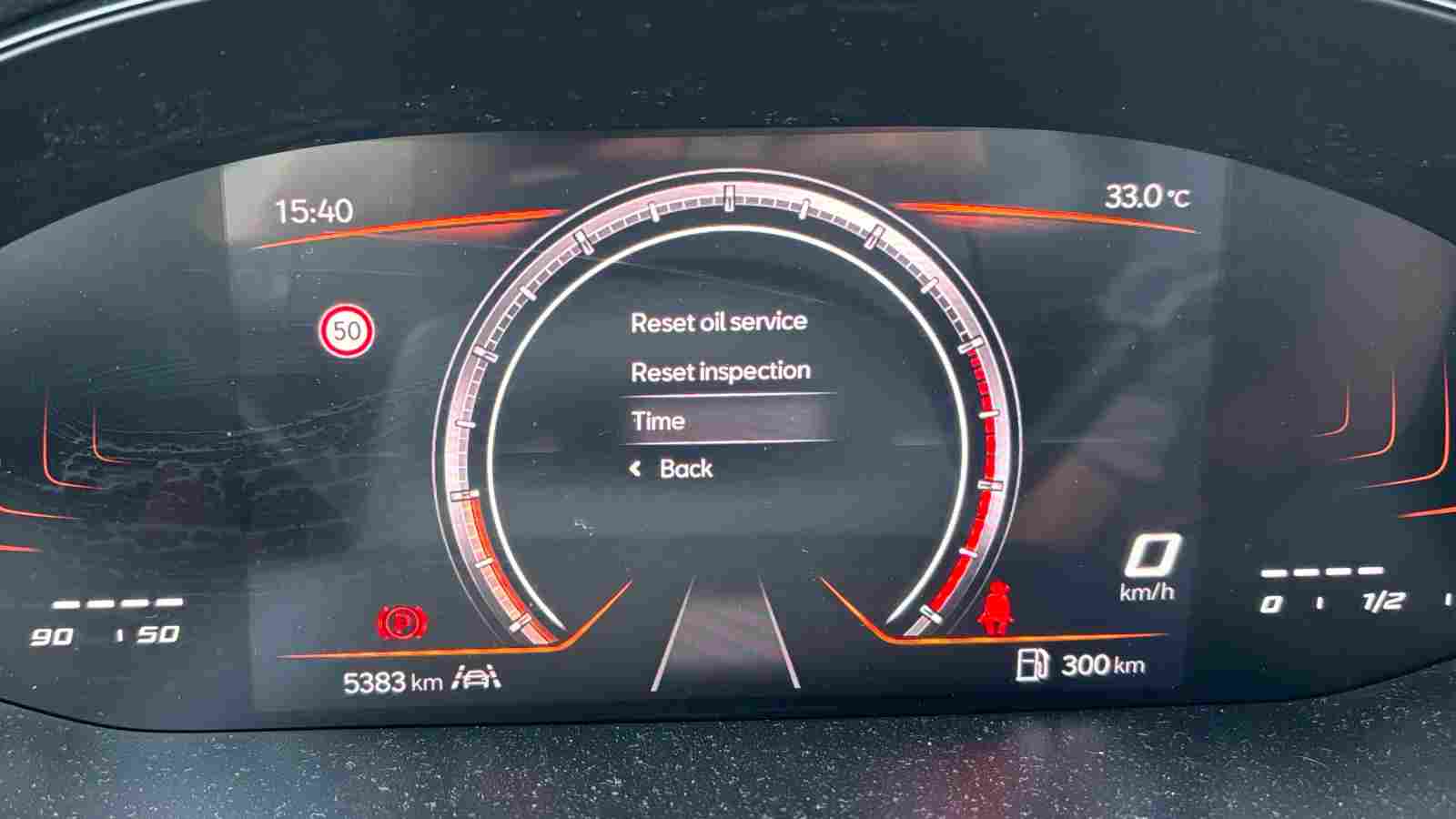
- Select “Service menu” with the OK button. In this menu you will find “Service”, “Reset Oil Service” and “Reset Inspection”. Under “Service” you will find information about the Oil Change and the Inspection Service.
- Then select “Reset oil service” and when asked “Reset oil change service?” you will need to press the OK button again. After the reset, you will receive the message “Service interval reset”.
If you have this type of screen, you have to press on one of those two buttons, then scroll down to Settings using the OK button. Then press on the display symbol button to enter to other menu. Here you have to select Service menu. And here you have to select Reset oil service and press OK button once to select and then press again to confirm.
After resetting the service interval on your Seat Ibiza 2026, it is recommended to check:
– if the service message has disappeared;
– if the date or mileage of the next service has been updated;
– if there are no other warnings on the dashboard;
– if the oil level is correct.
– If the warning appears again immediately, it is possible that the procedure was not confirmed correctly or there is another problem in the system.
When to do an oil change service
The oil change should be carried out according to the manufacturer’s recommendations, depending on:
- the number of kilometers traveled;
- the time elapsed since the last service;
- the type of engine;
- the driving style and conditions of use.
Maintaining the correct maintenance interval helps protect the engine and keep your car running optimally in the long term.
Conclusion:
Resetting the service interval on your Seat Ibiza 2026 after an oil change is a simple but essential step for proper maintenance. After the service, set the service indicator again so that the system can correctly monitor the next intervention. If you don’t succeed the first time, check the car’s menu or consult the user’s manual.
If you have any suggestions about new tutorials, you can write us in the comments section!
Check other VIDEO TUTORIALS for SEAT:
How to Reset the Tire Pressure Monitoring System (TPMS) on Seat Ateca, Arona, Tarraco!
Seat Ateca, Arona, Tarraco, Ibiza (2020 – 2025) Oil Service Light Reset in 5 Easy Steps!
Don’t forget to Like & SUBSCRIBE our Youtube channel, Tutoriale Auto!
Follow us on INSTAGRAM: https://www.instagram.com/service_tutorials/?hl=en
SUBSCRIBE our YOUTUBE channel: https://www.youtube.com/channel/UCwObVGIK_LGIYEoJxL6k-bg
This video is only for informative purposes! We do not take any responsibility and we are not liable for any damage as a result of the information contained in this video. Use this information at your own risk. Thank you!