

Using OBD2 Carista Evo Scanner & App on my Toyota CH-R (2017-2024): Unlock Hidden Features
In this video tutorial I will show you how to use the Carista Evo Diagnostic Tool on Toyota CH-R (2017-2024). The goal is to check compatibility, how easy it is to use and how you can set certain car functions simply and quickly.
You can find the Carista Evo diagnostic tool HERE: https://amzn.to/4vEutGL
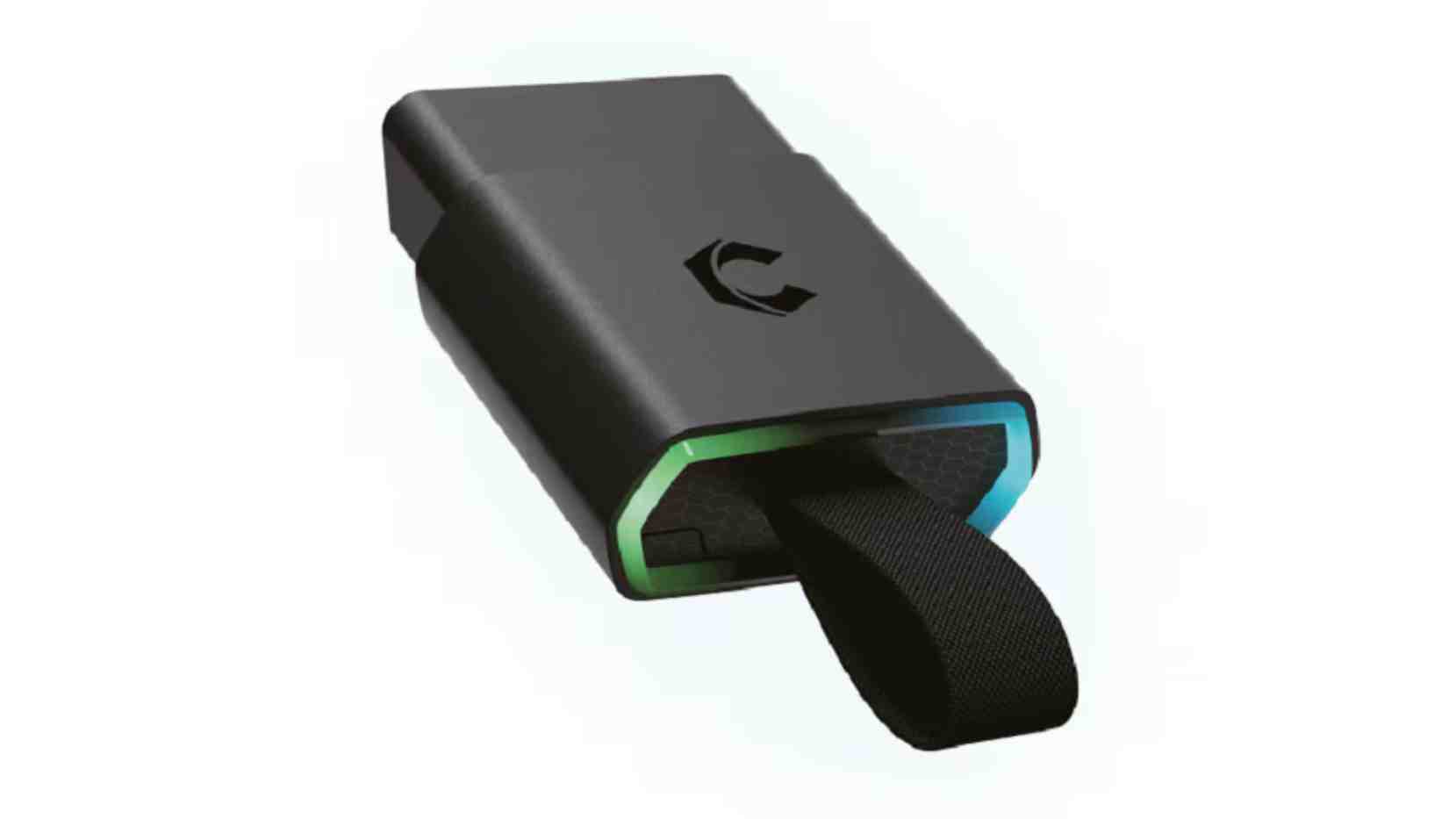
First, connect the Carista device to OBD2 port of the car. Then turn the ignition on and open the Carista app from the phone (already installed on the Phone). Connect the device to Carista app an then you will see that already identified the car in “Your Car’s Name”, listed as Toyota CH-R.
For this I used an iPhone 15 with IOS operating system, with the Carista app already installed on the iPhone.
HERE you can find Toyota Accessories at THE BEST PRICE: https://s.click.aliexpress.com/e/_c4SZmNx3
You can see that Carista app already identified the car in “Your Car’s Name”, listed as Toyota CH-R. Then here you can see 5 main categories: The newest is “Car Health Check” where you can do a quick diagnosis of the car. And here it warns you that the following conditions must be met in order not to give wrong information. So, before starting the Carista Scanner, the car must be stationary, the engine must be idling or stopped but with the ignition on, the air conditioning must be turned off, the steering wheel must not be moved and the automatic transmission must be in Park or Neutral. After the diagnosis, it is seen that there are no problems or error codes, which is good.
Customize
Then below is the Customize category where you can configure several functions of the car. If you go to “Most Popular”, you can see several functions that you can modify or set, such as Lane Change turn signal auto flasher count, seat belt warning ding, Coming Home Lights duration, unlock doors via remote or car key, Open windows via long-press on car key and many others.
You can make the following settings in the Dings & Warnings where you can activate or deactivate Vehicle Proximity Notification System beeps when vehicle is parked, Seat bealt warning ding for driver and front passenger, etcetera.
At Driver Assist you can make several changes to the assistance systems, the climate system, the lights and many others.
In Windows & Sunroof you can activate the function of opening and closing the windows using car key.
Live Data
In Live Data you can check the Hybrid battery or State of Charge which is currently at 69%. Here you can check the vehicle mileage information.
At Basic OBD2 live data where you can see various information related to rpm, coolant temperature, battery voltage, outside temperature and much more.
After you have finished using the Carista Evo scanner, do not forget to disconnect it from. The app and remove the device from the car’s OBD2 port.
So, as a short conclusion, Carista Evo offers a quick and easy solution to diagnose the car, clear errors and can set a lot of functions from the Toyota CH-R.
For advanced diagnostics I recommend a professional diagnostic tool or a trip to an car dealer.
I installed and used the Carista Evo app to evaluate the diagnostic and programming functions on a Toyota C-HR (model year 2017–2024, standard systems). The goal was to check compatibility, ease of use, accuracy of information, and advanced features (adaptations, coding, error clearing).
Configuration and equipment
Interface: OBD-II Bluetooth/Wi-Fi adapter (Carista Evo compatible model).
Phone: iPhone 15 with updated Carista Evo app.
Car battery at normal level, engine off for basic tests; engine on for some procedures.
Tested model: Toyota C-HR with standard ECUs (engine ECU, ABS, airbags, immobilizer, multimedia/air conditioning ECU).
Tested functions
Scan trouble codes (DTCs)
Identify codes from multiple ECUs (engine, ABS, airbags, transmission, comfort unit).
Display summary descriptions and standard codes (P, B, C, U).
Clear DTCs: Works for most codes generated by sensors/temporary errors; some persistent errors recur until physically fixed.
Live data
Displays real-time parameters: RPM, engine temperature, air flow, lambda sensors, ABS sensor settings on available wheels.
Fast response, but some advanced parameters may be limited by Toyota ECU access.
Tests/Actuations
Tests simple elements: climate fan start, flap servos, relay signals (depending on ECU access).
Works for tests that do not involve complex safety procedures.
Coding and adaptations
Modifications limited to convenience settings (e.g. seat belt mute, light adjustments, car window configuration) — depends on the options supported by Carista for the tested model.
Some advanced coding (e.g. immobilizer reconfiguration, Airbag codings) are not available for security reasons.
Updates and Compatibility
The app interface is clear, with explanatory messages; app updates constantly bring expanded support for Toyota models.
Good compatibility with most standard functions, but some advanced functions are reserved for paid/pro models or versions.
Performance and user experience
Installation and connection: simple; in 5–10 minutes I had a stable OBD↔app connection.
Interface: intuitive, Romanian/partial translation depends on the version, clear menus.
Stability: stable app in most operations; sometimes required reconnecting for multiple consecutive tests.
Time: fast overall scan (a few seconds for ECUs), live playback with minimal delay.
Advantages
Easy to use for car owners and independent mechanics.
Accuracy for common diagnoses and DTC clearing.
Offers convenience-oriented coding functions without expensive professional equipment.
Limitations
Limited access to advanced functions of protected ECUs (immobilizer, some airbag coding).
Depends on OBD adapter and model compatibility; some vehicles require paid version for full features.
For complex hardware issues, Carista tests do not replace professional equipment.
Conclusion
Carista Evo offers a practical, affordable and efficient solution for diagnosing and configuring many functions on the Toyota C‑HR.
For owners who want quick checks, error clearing and comfort adjustments, it is very useful. For advanced interventions and critical repairs I recommend professional equipment or a car dealer.